Android App Development – Master Class (From Zero to Hero)
Learn Professional App Development, Build a 15-App Portfolio, and Start Earning as a Freelancer.
🚀 Stop Watching. Start Building. Start Earning.
The mobile app industry is booming, but the market doesn’t pay you for knowing how to code—it pays you for what you can build.
If you want to land high-paying freelance clients on Upwork or Fiverr, you need a portfolio that proves your expertise. This Master Class is a complete, 100% project-based bootcamp that takes you from an absolute beginner to a published, monetized Android developer.
We don’t waste time on endless PowerPoint slides. Across 30+ in-depth video lectures, you will design wireframes, write backend logic, build beautiful User Interfaces (UI), integrate Google Ads, and officially publish your apps to the Google Play Store.
🛠 What You Will Build (The 15-App Portfolio)
This course is structured to make you a versatile developer. You will build apps across multiple categories to showcase to future clients:
Module 1: Core Logic & Essential Utilities
-
Temperature & Percentage Checkers: Master mathematical logic and basic user inputs.
-
Fever Checker & Grades Calculator: Build conditional logic and state management.
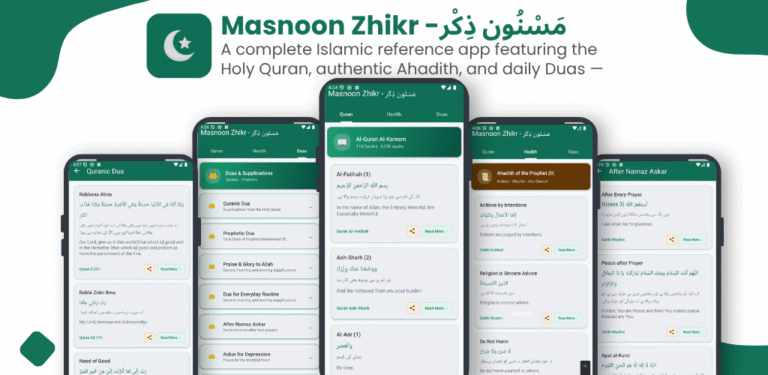
Module 2: Daily Life & Religious Trackers
-
Digital Tasbeeh App: Handle interactive counters and persistent UI updates.
-
Namaz Tracker & Daily Routine Checker: Master data tracking and daily user engagement features.
-
Android Notes App: Learn to save, edit, and retrieve user-generated text data.
Module 3: Educational & Kids Applications
-
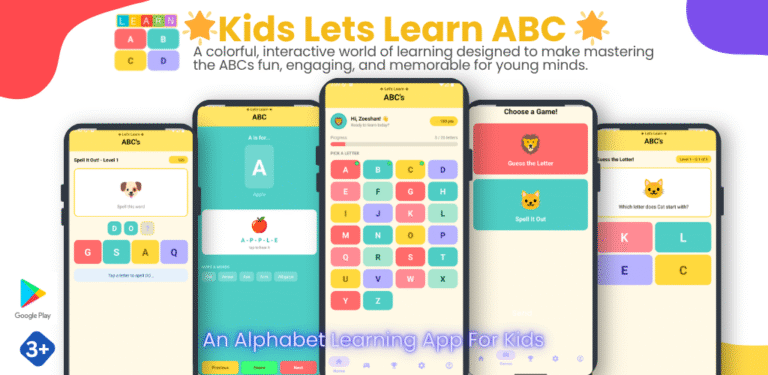
Kids Table Learning & Alphabet Apps: Build interactive, colorful, and engaging UI elements.
-
Vibe Coding a Kids Story App: Use cutting-edge AI (Antigravity) to rapidly generate app content and logic.
Module 4: Advanced UI & Professional Features
-
Food Recipe App: Master linear layouts, CardViews, and stunning visual design principles.
-
Navigation Drawers & Fragments: Build multi-screen apps with professional slide-out menus just like top-tier tech companies.
-
WebView Integration: Learn how to seamlessly embed HTML and web elements directly into your native applications.
Module 5: The Business Developer (Monetization & Publishing)
-
Google AdMob Integration: Learn how to place banner and interstitial ads to generate passive income from your apps.
-
App Store Optimization (ASO): Design professional app logos, feature graphics, and banners.
-
Play Store Publishing: Master the Google Play Console, run closed testing, and successfully launch your apps to a global audience.
👨🏫 The Hybrid Learning Advantage
Why choose between recorded tutorials and live coaching when you can have both?
-
Recorded Mastery: Get immediate lifetime access to ~30 high-definition, step-by-step video lectures. Learn at your own pace, pause, and rewind as you code along.
-
Weekly Live Mentorship: Join me every single weekend for live, interactive sessions. We will debug your code, discuss advanced freelance strategies, and ensure you never get stuck.
-
Fridays: 11:30 AM to 12:30 PM
-
Saturdays: 12:30 PM to 1:30 PM
-
🎓 Who is Your Instructor?
Dr. Zeeshan Bhatti
Professor, Professional Mobile App Developer, and Tech Educator
Don’t learn from hobbyists. Learn from an industry veteran who bridges the gap between academic computer science and real-world tech entrepreneurship. As a Professor in the Department of Information Technology at the University of Sindh, Jamshoro, and a professional mobile application developer, I know exactly what clients and employers are looking for.
I have built, monetized, and published numerous apps, and I have designed this exact curriculum to teach you the practical, revenue-generating skills that standard textbooks leave out.
💼 Ready to Launch Your Freelance Career?
By the end of this Master Class, you will have a massive portfolio to show clients, the technical skills to build any app they request, and the knowledge to monetize your own ideas with Google AdMob.
[ Enroll Now and Start Building Your First App Today ]
🔒 100% Satisfaction Guarantee. Secure your spot in the next Live Weekend Session.
Features
- 1. Massive 15-App Portfolio: Build functional applications ranging from utility tools (Calculators, Trackers) to educational apps and UI-heavy designs.
- 2. Hybrid Learning Model: Gain lifetime access to ~30 high-definition recorded video lectures, plus interact directly with the instructor during weekly Live Classes.
- 3. Built-in Monetization Strategies: Learn the exact process of integrating Google AdMob to display banner and interstitial ads for passive income.
- 4. End-to-End Publishing: Master the entire Google Play Console ecosystem, including closed testing, generating feature graphics, and pushing your app live to the world.
- 5. Modern AI Integration: Step into the future of development by learning how to use Antigravity for "Vibe Coding" to rapidly generate app content (like the Kids Story App).
Target audiences
- 1. Aspiring Freelancers: Individuals who want to build a strong, 15-app portfolio to land high-paying gigs on platforms like Upwork and Fiverr.
- 2. Complete Beginners: Anyone who has never written a line of code but wants a hands-on, project-based introduction to mobile software engineering.
- 3. University Students: Computer Science or IT students looking to bridge the gap between academic theory and practical, industry-ready development.
- 4. Entrepreneurs & Creators: Individuals with app ideas who want to learn how to build, monetize, and publish their own applications to the Google Play Store without hiring expensive developers.
Requirements
- 1. A Computer (Windows, Mac, or Linux): A machine with at least 8GB of RAM is highly recommended to run Android Studio smoothly.
- 2. No Prior Programming Experience Needed: This is a "Zero to Hero" course. We start with the absolute basics and gradually build up to advanced coding.
- 3. Internet Connection: Required to download Android Studio, access the video lectures, and join the weekly live sessions.
- 4. No Physical Android Device Required: You can test all 15+ of your apps using the virtual emulator built directly into Android Studio.
Curriculum
- 7 Sections
- 35 Lessons
- 4 Weeks
- Module-1: Core Logic & Essential Utilities4
- Module-2: Daily Life & Religious Trackers5
- 2.1Lesson-5: Create 📿Tasbeeh Multi Counter Android App from Scratch, Step-By-Step38 Minutes
- 2.2Lesson-6: Create Grade Checker App from Scratch, Step-By-Step39 Minutes
- 2.3Lesson-7: Create Fever Checker App from Scratch, Step-By-Step57 Minutes
- 2.4Lesson-8: Create Percentage Checker App from Scratch, Step-By-Step25 Minutes
- 2.5Lesson-9: BlueStack Tutorial: Use BlueStack emulator to run Android App14 Minutes
- Module-3: Master UI/Ux Design8
- 3.1Lesson-10: Use Linear Layout and Card View in Android Studio14 Minutes
- 3.2Lesson-11: Create Card View Layout in Android Studio23 Minutes
- 3.3Lesson-12: Master UI/UX Like a Pro | Create 3 Wireframes for One Mobile App19 Minutes
- 3.4Lesson-13: Create Kids Math Table App from Scratch, Step-By-Step29 Minutes
- 3.5Lesson-14: Create Android APP From Scratch – Food Recipe App (Part-1) | from Scratch, Step-By-Step27 Minutes
- 3.6Lesson-15: Create Android APP From Scratch – Food Recipe App (Part-2) | from Scratch, Step-By-Step32 Minutes
- 3.7Lesson-16: Create Android APP From Scratch – Food Recipe App (Part-3) | from Scratch, Step-By-Step63 Minutes
- 3.8UI Breakdown | Understanding UI design fundamentals and Breakdown29 Minutes
- Module-4:7
- 4.1Lesson-17: Create Namaz Tracker App from Scratch, Step-By-Step33 Minutes
- 4.2Lesson-18: How to use Linear Layout in Android Studio | UI Design with Linear Layout – A beginners Guide32 Minutes
- 4.3Lesson-19: Android Studio Intent Tutorial -Switch between Activities using Intent | How to Use Intents14 Minutes
- 4.4Lesson-20: Change Android App Launcher Icon4 Minutes
- 4.5Lesson-21: How to Show Splash Screen in Android Studio App | Android Splash Screen Screen Tutorial7 Minutes
- 4.6Lesson-22: Android WebView Tutorial — Load Local HTML File in Activity Step-by-Step17 Minutes
- 4.7Lesson-23: Create Kids Alphabet Learning App from Scratch, Step-by-Step48 Minutes
- Module-5:6
- 5.1Lesson-24: Create Daily Routine Checker App from Scratch, Step-by-Step24 Minutes
- 5.2Lesson-25: Create Notes App from Scratch, Step-by-Step43 Minutes
- 5.3Lesson-26: Uploading Notes App on Google Play Console29 Minutes
- 5.4Lesson-27: Understanding Fragments in Android Studio
- 5.5Lesson-28: Adding Google ADMob Banner for Adds on App30 Minutes
- 5.6Lesson-29: Uploading App on Google Play Console, Creating App Icon, Banner, Screenshots,
- Module-6:2
- Module-7: Vibe Coding Complete Android App - from Idea to Publishing3
FAQs
Instructor