Curriculum
- 7 Sections
- 35 Lessons
- 4 Weeks
Expand all sectionsCollapse all sections
- Module-1: Core Logic & Essential Utilities4
- Module-2: Daily Life & Religious Trackers5
- 2.1Lesson-5: Create 📿Tasbeeh Multi Counter Android App from Scratch, Step-By-Step38 Minutes
- 2.2Lesson-6: Create Grade Checker App from Scratch, Step-By-Step39 Minutes
- 2.3Lesson-7: Create Fever Checker App from Scratch, Step-By-Step57 Minutes
- 2.4Lesson-8: Create Percentage Checker App from Scratch, Step-By-Step25 Minutes
- 2.5Lesson-9: BlueStack Tutorial: Use BlueStack emulator to run Android App14 Minutes
- Module-3: Master UI/Ux Design8
- 3.1Lesson-10: Use Linear Layout and Card View in Android Studio14 Minutes
- 3.2Lesson-11: Create Card View Layout in Android Studio23 Minutes
- 3.3Lesson-12: Master UI/UX Like a Pro | Create 3 Wireframes for One Mobile App19 Minutes
- 3.4Lesson-13: Create Kids Math Table App from Scratch, Step-By-Step29 Minutes
- 3.5Lesson-14: Create Android APP From Scratch – Food Recipe App (Part-1) | from Scratch, Step-By-Step27 Minutes
- 3.6Lesson-15: Create Android APP From Scratch – Food Recipe App (Part-2) | from Scratch, Step-By-Step32 Minutes
- 3.7Lesson-16: Create Android APP From Scratch – Food Recipe App (Part-3) | from Scratch, Step-By-Step63 Minutes
- 3.8UI Breakdown | Understanding UI design fundamentals and Breakdown29 Minutes
- Module-4:7
- 4.1Lesson-17: Create Namaz Tracker App from Scratch, Step-By-Step33 Minutes
- 4.2Lesson-18: How to use Linear Layout in Android Studio | UI Design with Linear Layout – A beginners Guide32 Minutes
- 4.3Lesson-19: Android Studio Intent Tutorial -Switch between Activities using Intent | How to Use Intents14 Minutes
- 4.4Lesson-20: Change Android App Launcher Icon4 Minutes
- 4.5Lesson-21: How to Show Splash Screen in Android Studio App | Android Splash Screen Screen Tutorial7 Minutes
- 4.6Lesson-22: Android WebView Tutorial — Load Local HTML File in Activity Step-by-Step17 Minutes
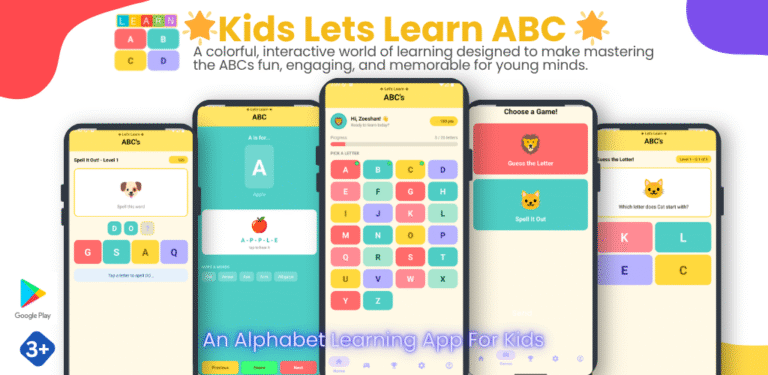
- 4.7Lesson-23: Create Kids Alphabet Learning App from Scratch, Step-by-Step48 Minutes
- Module-5:6
- 5.1Lesson-24: Create Daily Routine Checker App from Scratch, Step-by-Step24 Minutes
- 5.2Lesson-25: Create Notes App from Scratch, Step-by-Step43 Minutes
- 5.3Lesson-26: Uploading Notes App on Google Play Console29 Minutes
- 5.4Lesson-27: Understanding Fragments in Android Studio
- 5.5Lesson-28: Adding Google ADMob Banner for Adds on App30 Minutes
- 5.6Lesson-29: Uploading App on Google Play Console, Creating App Icon, Banner, Screenshots,
- Module-6:2
- Module-7: Vibe Coding Complete Android App - from Idea to Publishing3
Lesson-2: Download and Install Android Studio
Next