Mobile Application Development using Android Studio (Java)
Build 15+ Real Android Apps from Scratch | Learn Java Backend & XML UI | Beginner to Advanced Project-Based Course
Stop Watching Endless Theory. Start Building Real Apps.
Do you want to learn Android App Development, but feel stuck in “tutorial hell” watching hours of boring theory without actually building anything?
This course is different. We don’t just talk about code—we write it.
This is a complete, 100% project-based Android development masterclass. Every single week, you will create a brand-new application from scratch. We start with simple beginner layouts and gradually scale up to advanced, multi-activity applications. By the end of this course, you won’t just “understand” Android development—you will have a massive portfolio of 15+ real apps to show for it.
What We Will Build Together
Throughout the course, we will use Java for backend logic, XML for UI design, and Android Studio to bring these projects to life:
-
🔢 The Smart Calculator: Master basic UI elements and mathematical logic.
-
📝 To-Do List & Notes Apps: Learn persistent data management and state.
-
🧠 Interactive Quiz App: Handle complex user inputs and scoring logic.
-
🔐 Secure Login & Registration: Build real-world user authentication flows.
-
🔄 Multi-Activity Applications: Master data passing and screen navigation.
-
📱 Dynamic List Apps: Implement
RecyclerViewfor professional, scalable data display. -
…and many more.
🛑 The Elephant in the Room: Why Learn Java + XML in 2026?
If you are wondering, “Shouldn’t I learn Kotlin and Jetpack Compose?” — here is the reality of the tech industry: While modern apps are adopting Kotlin, Java + XML remains the absolute foundation of Android. Millions of production apps and legacy systems currently in the app store are built on Java. Furthermore, learning Java first makes transitioning to Kotlin incredibly easy, while making you a vastly stronger, more versatile engineer who can maintain legacy codebases and understand the core architecture of the Android OS.
The Instructor Bio
Prof. Dr. Zeeshan Bhatti, PhD(IT), MPhil(IT), BCS(Hons)

Who is Your Instructor? Don’t learn mobile development from hobbyists. Learn from a Senior Software Engineer, Mobile Application Developer, and University Professor with over 20 years of real-world experience.
As a Professor with a PhD in Information Technology, I actively develop complex software and AI-driven applications, alongside authoring over 60 research articles. I know the exact gap between academic theory and what the tech industry actually demands. I designed this project-based course to bridge that gap, giving you the exact practical skills you need to succeed as a professional app developer.
Urgency & Guarantee
🔒 100% Money-Back Guarantee Try the course risk-free. If you don’t feel confident building your own apps after the first few modules, you are protected by a full money-back guarantee.
[ Enroll Now and Start Building Your First App Today ]
Features
- 1. Build a 15+ App Portfolio: Prove your skills to employers and freelance clients with a massive portfolio of real-world, functional Android applications.
- 2. Master Android Studio: Navigate the industry-standard IDE like a professional, utilizing debugging tools, emulators, and project management features.
- 3. Design Beautiful UIs with XML: Create responsive, modern, and user-friendly layouts that look great on any screen size.
- 4. Write Robust Backend Logic: Use Java to power your apps, handle user data, manage screen transitions, and build complex application logic.
- 5. Implement Advanced Features: Master RecyclerViews for dynamic lists, pass data between multiple activities, and build secure Login/Registration flows.
- 6. Think Like a Mobile Engineer: Move past copy-pasting code and learn the underlying architecture of how professional apps are built and structured.
Target audiences
- Complete beginners who want to start building their own Mobile apps and publish them on Google Play
Curriculum
- 13 Sections
- 50 Lessons
- 8 Weeks
- Section 1: Android Studio Installation and Fundamentals9
- 1.1Lesson 1: Introduction to the Course9 Minutes
- 1.2Lesson 2: Download and Install Android Studio9 Minutes
- 1.3Lesson 3: How to install Android AVD Emulator in Android Studio7 Minutes
- 1.4Lesson 4: Project-1 Create First Hello World App25 Minutes
- 1.5Lesson 5: How to Create Your First Project in Android Studio5 Minutes
- 1.6Lesson 6: Project-2 Create Simple Counter App in Android Studio15 Minutes
- 1.7Lesson 7: How to Connect any Android phone with Android Studio AVD6 Minutes
- 1.8Lesson-8: How to Install BlueStack emulator and run android APK in bluestack6 Minutes
- 1.9Week-1 Practical Exercises – Lab Work6 Questions
- Section 2: Basic App Development8
- 2.1Lesson 9 Live Lesson : Create Android Mobile APP from Scratch -Step-By-Step fundamentals43 Minutes
- 2.2Lesson 9: Create Button and onClick Event12 Minutes
- 2.3Lesson 10: Project-3: Create Temperature Converter App52 Minutes
- 2.4Lesson 10- Live Class: Create Temperature Converter App From Scratch – for Absolute Beginner43 Minutes
- 2.5Lesson 11: Project-4 Create Tasbeeh App – A Multi Counter App38 Minutes
- 2.6Lesson 12: Project-5: Create Currency Converter App30 Minutes
- 2.7Lesson 13: Project-6 : Create Grade Calculator App40 Minutes
- 2.8Week-2 Practical Exercises – Lab Work5 Questions
- Section 3: Android Layout and UI Design4
- Section 4: Creating Multiple Activity APPs5
- 4.1Lesson 18: Copy Text from EditText widget to another Text View7 Minutes
- 4.2Lesson 19: Constraint Layout VS Linear Layout10 Minutes
- 4.3Lesson 20: Create Card View UI Elements19 Minutes
- 4.4Lesson 21: Switch between Multiple Activities using Intents24 Minutes
- 4.5Week-3 Practical Exercises – Lab Work5 Questions
- Section 5: Complex UI with Scrollable Views7
- 5.1Lesson 22: Breakdown of UI design Components – creating Wireframe of UI Design28 Minutes
- 5.2Lesson 23: Project-11: Create Notes App with Complex UI Layouts17 Minutes
- 5.3Lesson 24 Part-1: Complex UI with Scroll View and Card Layout14 Minutes
- 5.4Lesson 24 Part-B: Create Card View Layout – UI Design23 Minutes
- 5.5Lesson 25: Project-11-B: Design Student Profile App with Nested Layouts and Card View41 Minutes
- 5.6Lesson 26: Project-12: Create HTML Notes App UI with Card View14 Minutes
- 5.7Week-5 Practical Exercises – Lab Work0 Questions
- Section 6: Exploring Fragments, WebView and Nested UI Design6
- 6.1Lesson 27: How to Use Fragments in Android39 Minutes
- 6.2Lesson 28: Create Web View components to display webpages in App16 Minutes
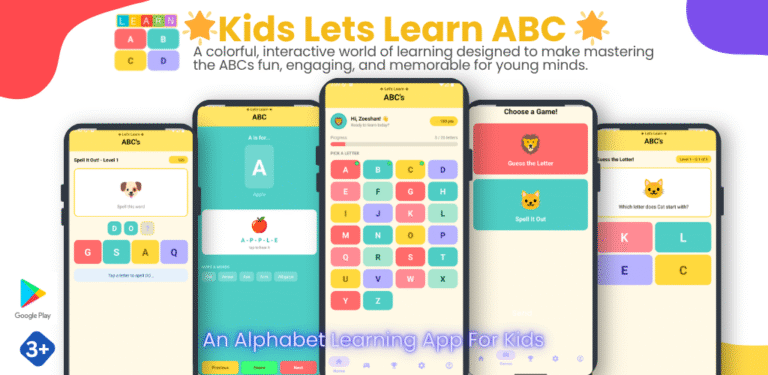
- 6.3Lesson 29: Project-13 Create Kids ABC Learning App using Fragments and Nested Layouts50 Minutes
- 6.4Lesson 30: Show Multiple Dynamic Text on a Single Activity18 Minutes
- 6.5Lesson 31: Project-14 Create Math Table Learning App for KIDS46 Minutes
- 6.6Week-6 Practical Exercises – Lab Work0 Questions
- Section 7: Navigation Drawer5
- 7.1Lesson 32: How to use Navigation Drawer Activity App29 Minutes
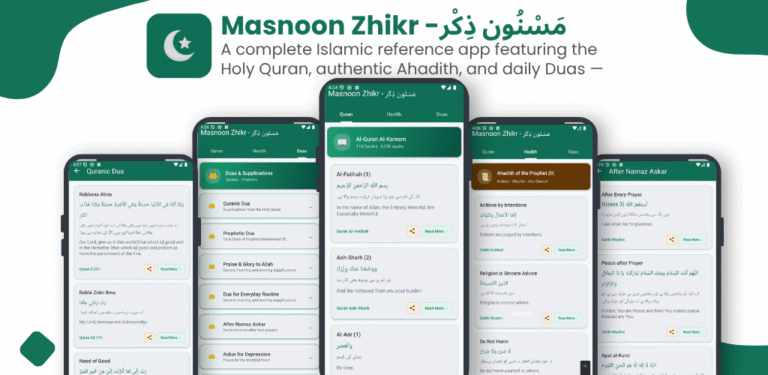
- 7.2Lesson 33: Project-15: Crate Islamic Dua Cards App using Navigation Drawer55 Minutes
- 7.3Lesson 34: Project-16: Crate a Quotes App using Navigation Drawer
- 7.4Lesson 35: Load Multiple Web Pages on Single Activity
- 7.5Week-7 Practical Exercises – Lab Work0 Questions
- Section 8: Add Mob Activation and Upload app on Google Play Console3
- Section 9: Android Activity Life Cycle2
- Section 10: SQLite Database Connectivity5
- 10.1Lesson 40: SQLite Database basics
- 10.2Lesson 41: Project-18: SQLite CRUD App – Understanding Basic Operations
- 10.3Lesson 42: Project-19: Create Studetn Profile APP using SQLite Database
- 10.4Lesson 43: Project-20: Create User Registration and Login App using Vibe Coding App using
- 10.5Lesson 44: Project-21: Create MCQ quiz app using Vibe Coding
- Section 11: Recycler View2
- Bonus Section: KOTLIN for Android app development0
- Bonus Section: FLUTTER and DART for Mobile app Development0
FAQs
Instructor