Curriculum
- 13 Sections
- 50 Lessons
- 8 Weeks
Expand all sectionsCollapse all sections
- Section 1: Android Studio Installation and Fundamentals9
- 1.1Lesson 1: Introduction to the Course9 Minutes
- 1.2Lesson 2: Download and Install Android Studio9 Minutes
- 1.3Lesson 3: How to install Android AVD Emulator in Android Studio7 Minutes
- 1.4Lesson 4: Project-1 Create First Hello World App25 Minutes
- 1.5Lesson 5: How to Create Your First Project in Android Studio5 Minutes
- 1.6Lesson 6: Project-2 Create Simple Counter App in Android Studio15 Minutes
- 1.7Lesson 7: How to Connect any Android phone with Android Studio AVD6 Minutes
- 1.8Lesson-8: How to Install BlueStack emulator and run android APK in bluestack6 Minutes
- 1.9Week-1 Practical Exercises – Lab Work6 Questions
- Section 2: Basic App Development8
- 2.1Lesson 9 Live Lesson : Create Android Mobile APP from Scratch -Step-By-Step fundamentals43 Minutes
- 2.2Lesson 9: Create Button and onClick Event12 Minutes
- 2.3Lesson 10: Project-3: Create Temperature Converter App52 Minutes
- 2.4Lesson 10- Live Class: Create Temperature Converter App From Scratch – for Absolute Beginner43 Minutes
- 2.5Lesson 11: Project-4 Create Tasbeeh App – A Multi Counter App38 Minutes
- 2.6Lesson 12: Project-5: Create Currency Converter App30 Minutes
- 2.7Lesson 13: Project-6 : Create Grade Calculator App40 Minutes
- 2.8Week-2 Practical Exercises – Lab Work5 Questions
- Section 3: Android Layout and UI Design4
- Section 4: Creating Multiple Activity APPs5
- 4.1Lesson 18: Copy Text from EditText widget to another Text View7 Minutes
- 4.2Lesson 19: Constraint Layout VS Linear Layout10 Minutes
- 4.3Lesson 20: Create Card View UI Elements19 Minutes
- 4.4Lesson 21: Switch between Multiple Activities using Intents24 Minutes
- 4.5Week-3 Practical Exercises – Lab Work5 Questions
- Section 5: Complex UI with Scrollable Views7
- 5.1Lesson 22: Breakdown of UI design Components – creating Wireframe of UI Design28 Minutes
- 5.2Lesson 23: Project-11: Create Notes App with Complex UI Layouts17 Minutes
- 5.3Lesson 24 Part-1: Complex UI with Scroll View and Card Layout14 Minutes
- 5.4Lesson 24 Part-B: Create Card View Layout – UI Design23 Minutes
- 5.5Lesson 25: Project-11-B: Design Student Profile App with Nested Layouts and Card View41 Minutes
- 5.6Lesson 26: Project-12: Create HTML Notes App UI with Card View14 Minutes
- 5.7Week-5 Practical Exercises – Lab Work0 Questions
- Section 6: Exploring Fragments, WebView and Nested UI Design6
- 6.1Lesson 27: How to Use Fragments in Android39 Minutes
- 6.2Lesson 28: Create Web View components to display webpages in App16 Minutes
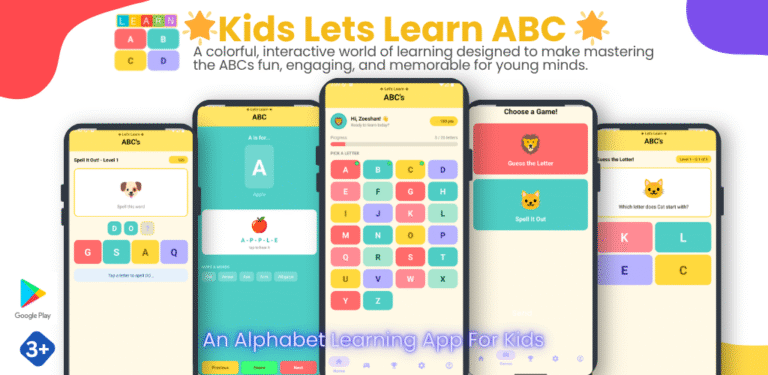
- 6.3Lesson 29: Project-13 Create Kids ABC Learning App using Fragments and Nested Layouts50 Minutes
- 6.4Lesson 30: Show Multiple Dynamic Text on a Single Activity18 Minutes
- 6.5Lesson 31: Project-14 Create Math Table Learning App for KIDS46 Minutes
- 6.6Week-6 Practical Exercises – Lab Work0 Questions
- Section 7: Navigation Drawer5
- 7.1Lesson 32: How to use Navigation Drawer Activity App29 Minutes
- 7.2Lesson 33: Project-15: Crate Islamic Dua Cards App using Navigation Drawer55 Minutes
- 7.3Lesson 34: Project-16: Crate a Quotes App using Navigation Drawer
- 7.4Lesson 35: Load Multiple Web Pages on Single Activity
- 7.5Week-7 Practical Exercises – Lab Work0 Questions
- Section 8: Add Mob Activation and Upload app on Google Play Console3
- Section 9: Android Activity Life Cycle2
- Section 10: SQLite Database Connectivity5
- 10.1Lesson 40: SQLite Database basics
- 10.2Lesson 41: Project-18: SQLite CRUD App – Understanding Basic Operations
- 10.3Lesson 42: Project-19: Create Studetn Profile APP using SQLite Database
- 10.4Lesson 43: Project-20: Create User Registration and Login App using Vibe Coding App using
- 10.5Lesson 44: Project-21: Create MCQ quiz app using Vibe Coding
- Section 11: Recycler View2
- Bonus Section: KOTLIN for Android app development0
- Bonus Section: FLUTTER and DART for Mobile app Development0
Lesson 5: How to Create Your First Project in Android Studio
Lesson 5: How to crate Your First Project in Android Studio